Awesome Notes: A Handwritten Font That Brings Charm to Your Craft and Product Designs
As I sat at my desk one morning, preparing mockups for a new line of candle labels, I opened up my design software and scrolled through my font library. My eyes landed on Awesome Notes, and I knew instantly that this was the one. It had that perfect balance of playful and professional—just the right tone for my brand. The soft curves and casual strokes gave my candle labels a warm, personal feel that I hadn’t been able to achieve with other script fonts.
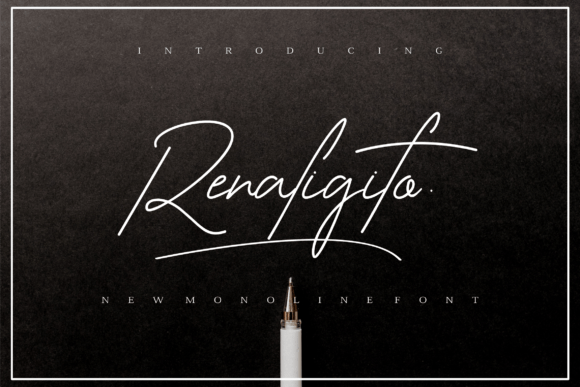
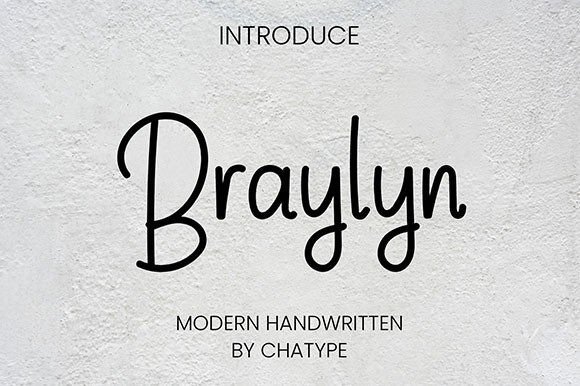
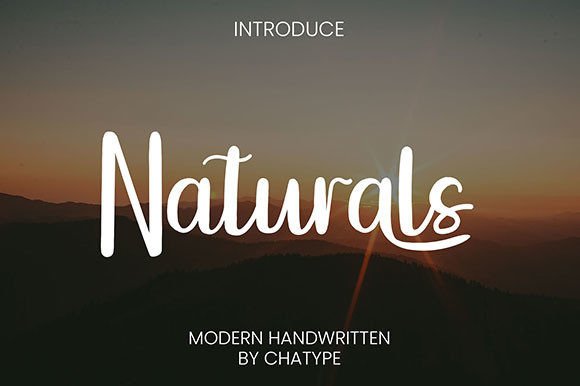
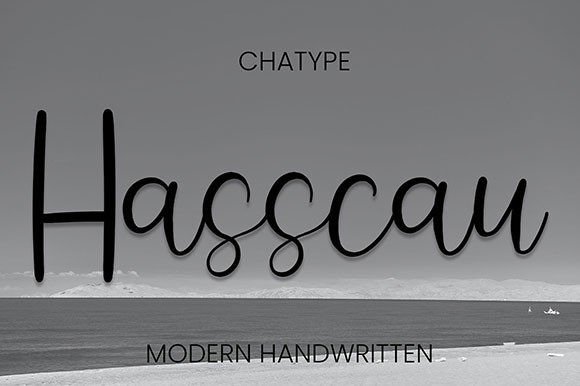
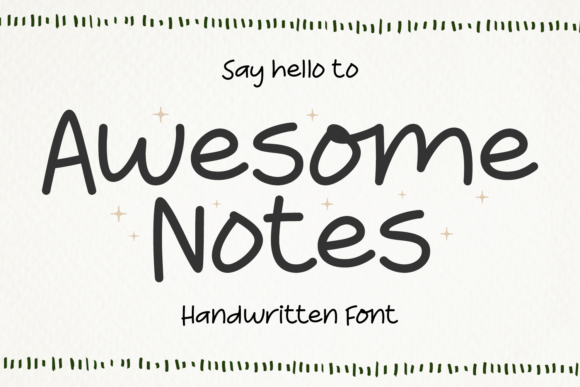
Awesome Notes is a script font with a handmade personality. It’s designed to mimic real handwriting, complete with natural variations in stroke weight and subtle imperfections that make it feel authentic. This font isn’t overly formal or stiff—it’s the kind of typeface you’d imagine someone using to write a heartfelt note or sketch out a grocery list. It carries a sense of intimacy and creativity that’s hard to replicate with digital tools.
Since that first candle label, I’ve used Awesome Notes across a wide range of my handmade products. From greeting cards and wedding invitations to boutique tags and digital printables, this font has become a staple in my design toolkit. The organic flow and casual charm make it especially well-suited for short phrases, names, titles, and decorative text—perfect for product branding or seasonal signage.
Perfect for Labels, Tags, and Packaging with Personality
One of the most practical uses I’ve found for Awesome Notes is in packaging design. Whether I’m creating kraft paper tags for handmade soap bars or designing labels for mason jar candles, this font adds a personal touch that elevates the overall presentation. It gives my products a boutique-style appeal without feeling too trendy or overdone.
For small stickers and product labels, I recommend using a slightly larger size to ensure readability—especially if you’re working with cutting machines like Cricut or Silhouette. The font’s natural stroke variations can sometimes get lost at very small sizes, so I always do a quick test print before committing to a full run.
Handmade Invitations and Planner Pages That Stand Out
When I designed a set of minimalist wedding invitations for a local bride, I used Awesome Notes for the couple’s names and event details. Paired with a clean sans serif for the body text, it created a beautiful contrast that felt both elegant and approachable. Guests later told the bride how much they loved the handwritten style—it made the invitation feel more personal and thoughtful.
The same goes for planner pages. Whether I’m designing digital printables or physical inserts for bullet journals, I use this font for section headers and decorative elements. It helps break up the grid and adds a creative flair that makes the pages feel more engaging.
Seasonal Crafts and Digital Downloads with a Handwritten Touch
During the holiday season, I love using Awesome Notes for festive tags, gift toppers, and printable wall art. For example, a simple “Merry & Bright” sign designed with this font and printed on matte paper adds a cozy, handmade feel to any home decor collection. It also works beautifully for digital downloads like quote posters or motivational art prints—especially when layered with soft watercolor textures or ink splatters.
For digital product previews, I often use Awesome Notes in listing images to highlight the product name or a key feature. Its distinctive style helps my designs stand out in crowded marketplaces like Etsy or Creative Market, where visual appeal plays a big role in customer engagement.
Font Pairing Tips for a Balanced Design
While Awesome Notes shines on its own, pairing it with complementary fonts can enhance your overall design. I often combine it with a clean sans serif like Montserrat or Lato for modern contrast, especially in packaging or digital graphics. For more rustic or vintage-themed projects, a simple serif font or another handwritten style works well to maintain a cohesive aesthetic.
When designing a logo or brand header, I sometimes use a bold display font alongside Awesome Notes to create visual hierarchy. This helps maintain readability while keeping the design dynamic and engaging.
What to Know Before You Use It in Your Shop
Before using Awesome Notes in your own products—whether physical or digital—make sure you review the licensing terms. Most premium fonts, including this one, allow for commercial use, but it’s always good to double-check, especially if you’re selling merchandise, printables, or SVG designs.
Also, take time to explore the font’s full character set. Many script fonts like this include ligatures, alternates, and swashes that can add unique flair to your text. These small details can make a big difference in how your designs are perceived—especially when it comes to brand consistency and customer recognition.
Final Thoughts
Awesome Notes has become a go-to in my creative process because it brings warmth, personality, and authenticity to my handmade and digital products. Whether I’m printing labels, designing invitations, or crafting seasonal decor, this handwritten font adds a touch of charm that resonates with my audience. If you’re a crafter, maker, or printable creator looking for a versatile script font that feels both modern and timeless, this one is definitely worth a try.